

Are you finding an easy way to Embed Instagram Slider Widget on any website? Instagram is one of the most popular social media channels, and so many website owners spend a lot of resources to produce high-quality content on this platform.
You can take benefits of this by process of embedding the Instagram slider widget on your website. It will allow you to display the amazing images, videos, stories, reels from your account as well as others. It will not only add content to your website, but it may also help you build your own Instagram presence.
Today, I will describe to you how to embed Instagram slider widget by using the Tagembed Widget.
Let’s jump into it.
Some Easy Step-By-Step Guide To Embed Instagram Slider Widget On Any Website:
Tagembed gives you multiple Instagram post sliders, like, horizontal sliders, review sliders, carousels, and many more. You can easily embed the Instagram Slider widget by following these steps:
Step A – Create An Instagram Slider Widget With Tagembed
1. Sign Up to create a Free Tagembed account or Login if you already have an account.

2. You’ll be redirected towards the Tagembed dashboard.
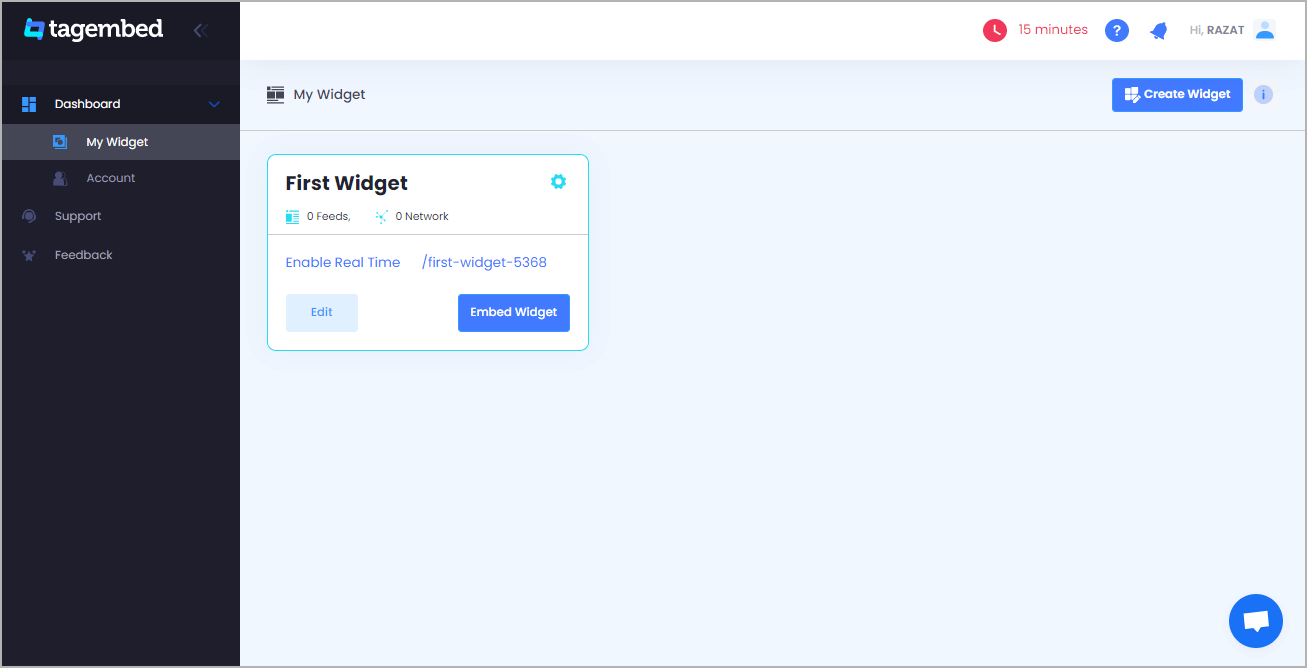
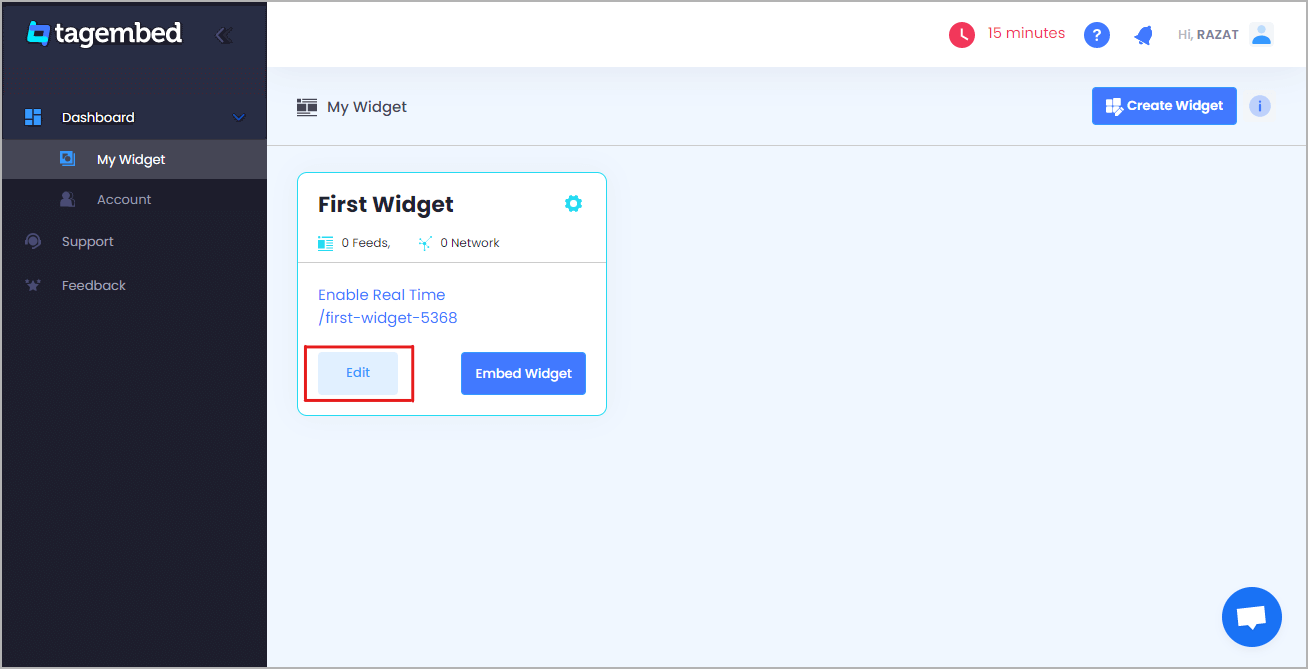
3. Your First Widget will be already created, just click on the Edit button to proceed.
4. A dialogue box will appear to “pick a source”, Choose Instagram now

5. A new dialogue box will appear to Create Instagram Post

Right here you have multiple options to create feeds
Handle(@) – Login to Instagram and it will fetch feeds directly
Mentions– Once you will login your Instagram account, it will fetch directly
HashTag(#) – Enter hashtags from where you want to fetch feeds
Tagged – It will fetch directly when you login into your account.
Click on the below button “Continue With Instagram” and Login to your Instagram Account to authorize for aggregation.
6. Click on “Personalize & Layouts” from the dashboard menu.
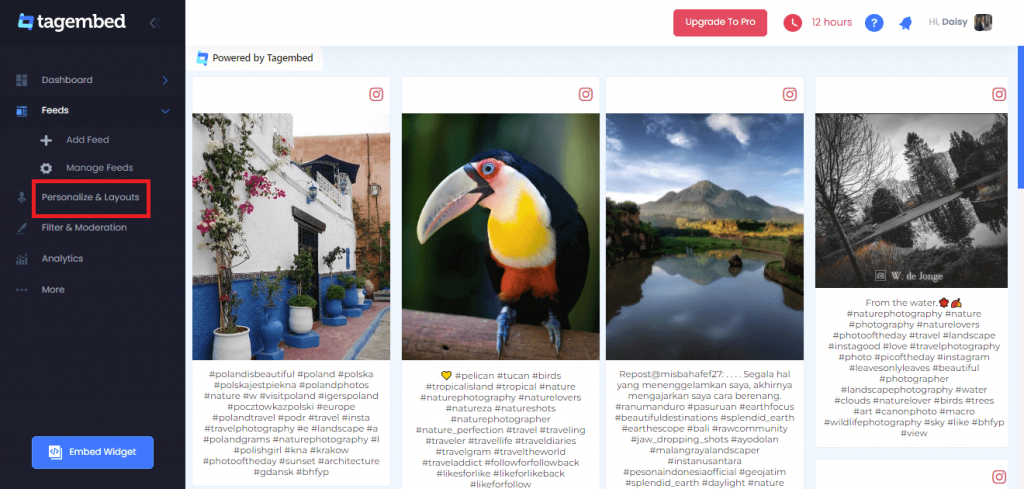
7. Click on “Slider Widget” and click apply theme. You will see a bunch of different widget examples.

Read More – How To Embed Facebook Slider Widget On Any Website?
Step B – Embed Instagram Post Slider On WordPress Website
1. Once you have selected the slider widget, Click on the Embed Widget button displayed below

2. Dialogue box will appear with “Choose Your Platform” Now Select WordPress

3. Now a new Dialogue box will appear, now set the height and widget accordingly and click on the Get Code button & copy this code
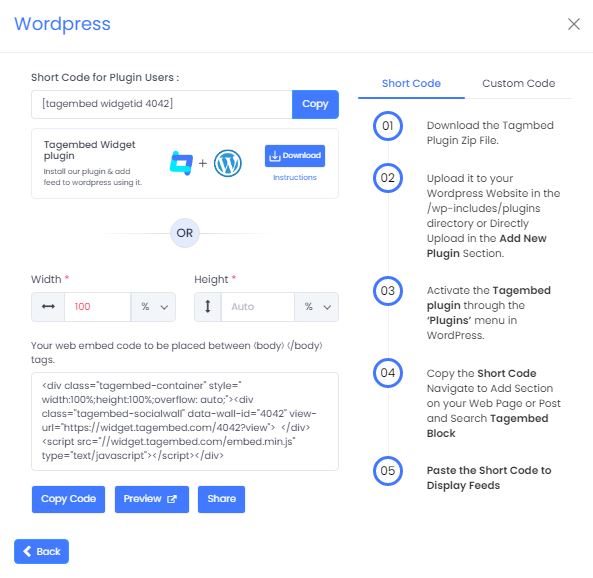
4. So now copy the embed code and paste it into the body section of your website.
Conclusion:
Above mentioned steps are the easiest way to embed Instagram slider widget into your website. Now, you can boost your brand awareness, increase traffic at the same time.
So what are you waiting for? Click here to get started with Instagram Feeds by Tagembed today. And embed Instagram slider widget on any website, open your live website and enjoy the various benefits it provides.
 The Social Media Widget - SMW Blogs
Leave a comment