

RSS Feed is a special type of link and URL that’s used to send content (like blog posts, or sharing the post) to be displayed on a website. So in case, you have a blog hosted somewhere else and want to add mentioned content on it, then you can use the RSS Feed section to automatically add recent posts (feeds) to your website.
Basically, RSS feeds are associated with blog pages. The URL for these feeds is available from an RSS icon in the sidebar of the web page. You can easily get a Weebly RSS feed URL by manually adding the “/feed/” to the end of the URL of your Weebly blog page.
Simple Steps To Create & Add RSS Feed On Weebly Website
1. Sign Up to create a Free Tagembed account or Login if you already have an account.

2. You’ll be redirected towards the Tagembed dashboard.

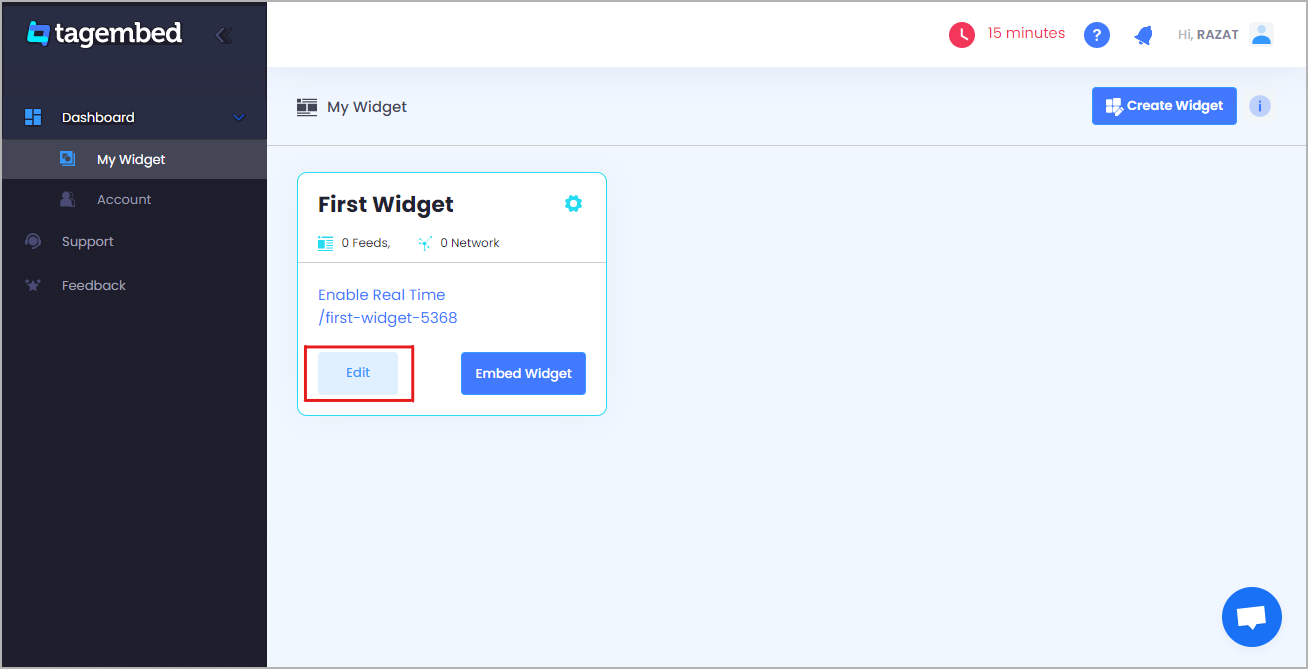
3. Your First Widget will be already created, just click on the Edit button to proceed.
4. A screen “Pick a source” will appear, here select RSS from the list of networks.

5. Enter the following input into the blank field:
- Display Name – Enter the name that you want to display
- Feed URL – Enter the URL of the RSS feed
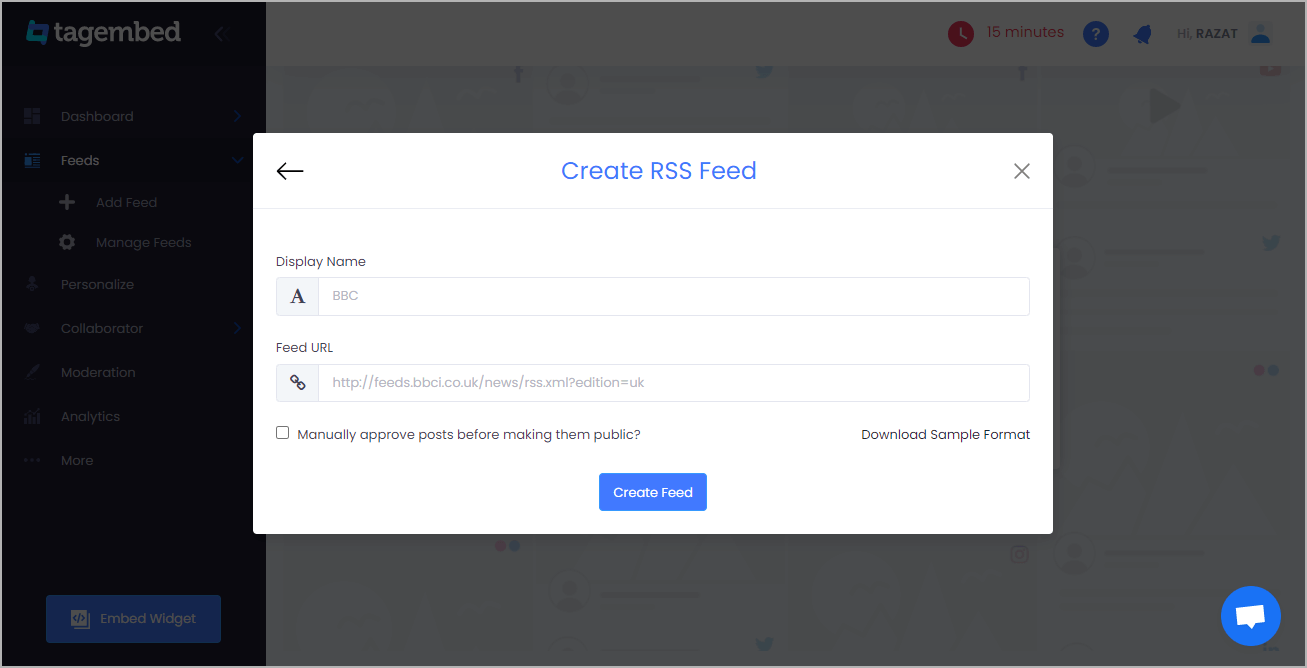
6. Finally, click on the Create Feed button to start aggregation so now click on the Embed Widget button at the bottom-left of the menu panel.
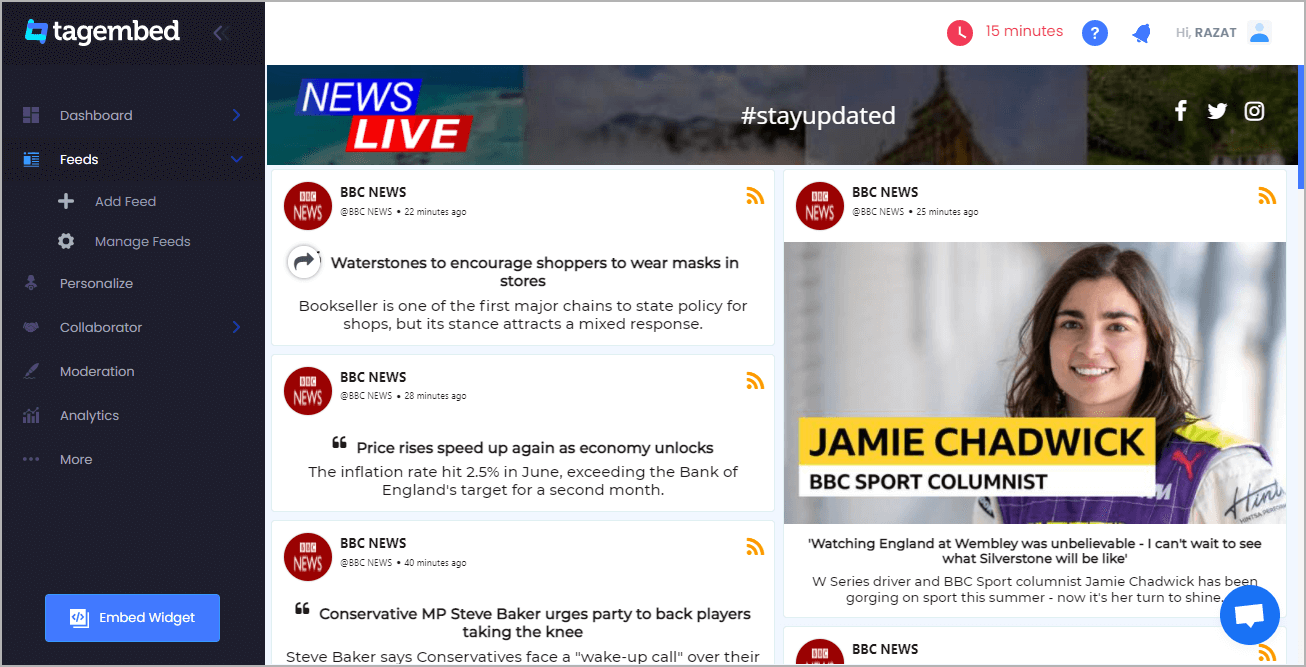
7. A new screen “Choose Your Platform” will appear with the list of different website CMS.

8. Choose Weebly as your website CMS then adjust the height & width of your widget.
(Recommendation – Set the width in percentage % and Height in pixels (Px) for better exposure)
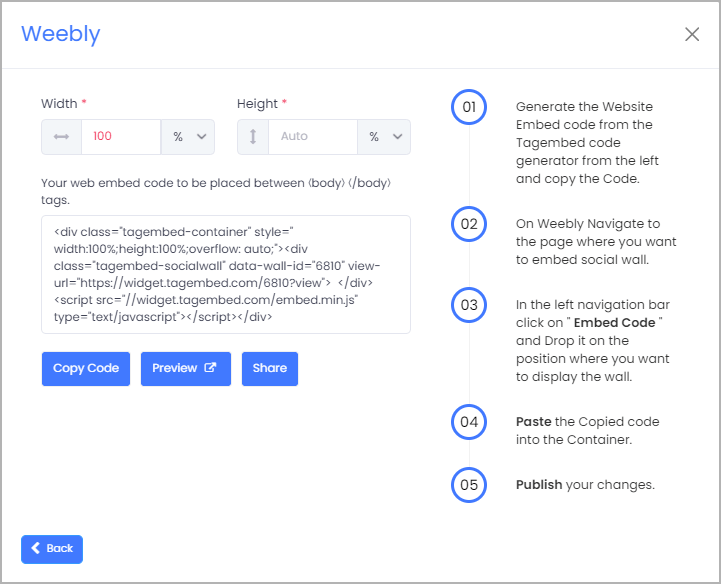
9. Finally, click on the Copy Code button to copy the embed code. And login to the admin account of your Weebly website and navigate to the page or build where you want to embed RSS feeds.
10. Scroll the elements on the left-hand screen to find the Embed Code option. Drag & drop the option on the page where you want to embed RSS Feed.

11. A pop-up will appear Edit Custom HTML click on it and Paste the embed code into it.
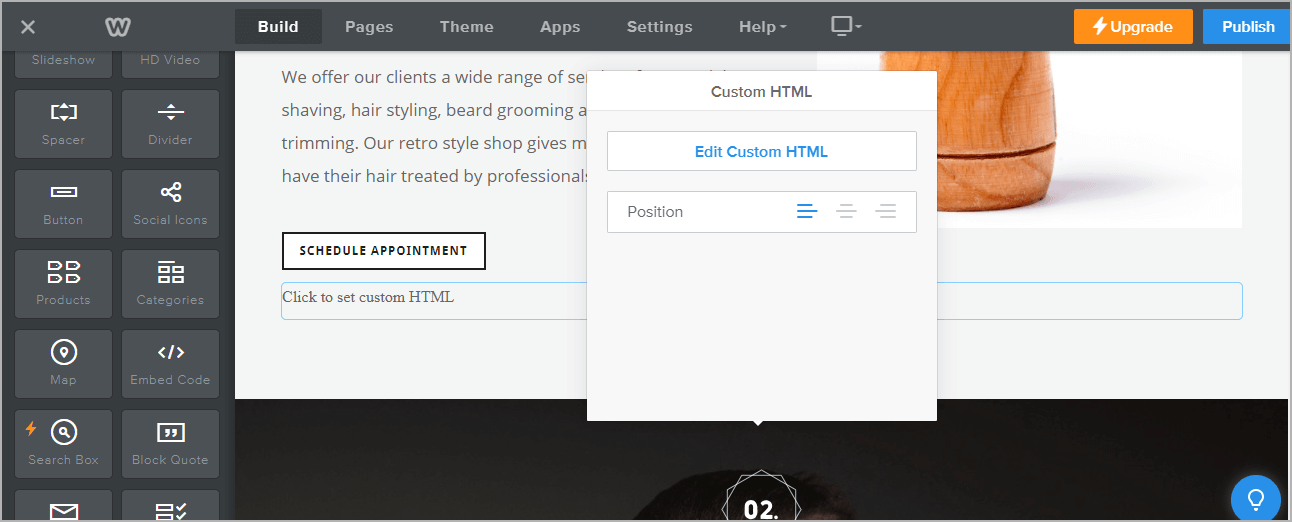
12. Finally, click on the Publish button at the top-right corner to make the changes effective.
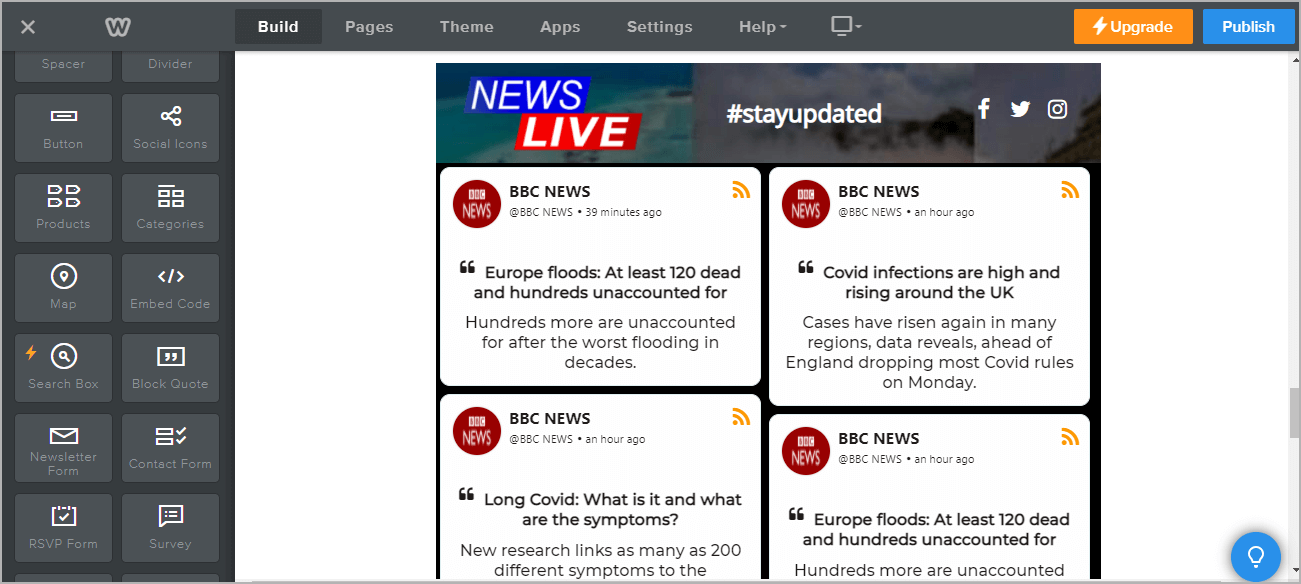
Great, your Weebly webpage is loaded with RSS Feed. Congratulations! You have successfully added RSS Feed to the Weebly website.
Over To You
Adding RSS feed on Weebly is a cost-effective way to display unique content on the Weebly app and increase customer engagement by just spending a dime. Get amazing benefits using the RSS feed, generate a free Tagembed account now and add the RSS feed to the Weebly website with ease.
 The Social Media Widget - SMW Blogs
Leave a comment